Adobe

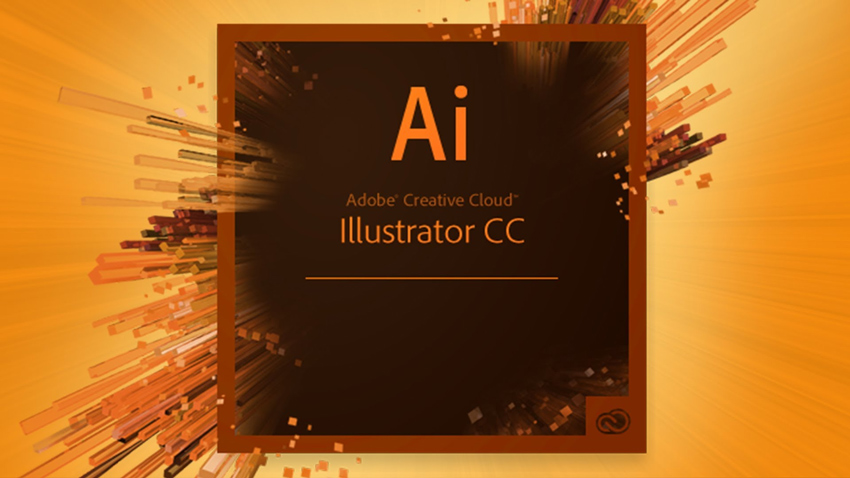
Adobe Illustrator – 3 days

About this Course

This on site company private course is adapted at the level of the participants

Participants: From 2 to 6 people

Instructor: Adobe Certified trainer

Date: According to your availability


Audience profile

Graphic designers, web designers, illustrators, creative and all interested in creating graphics optimized for printing or the web.
Illustrator is especially useful for creating illustrations optimized for printing and the web.

At the end of the training, participants will be able to develop complex graphics and understand the vectorial design and assembly techniques, thus making use of the full potential offered by this application.


Teaching Methodology

Mixed sessions of theory and practice, with description of the subjects by the trainer and experimentation in the personal computer. Exercises and role plays to practice individualized resolution.


Summary and commercial proposal

  • Numbers of days: 3 days
  • Software in English Version Adobe Illustrator CS5/CS6/CC
  • Instructor: Adobe trainer
  • Time : 9:00 to 12:00 & 13: 30 to 17:00
  • Certificates: Each participant receive a BesTeam Certificate of Achievement
  • Material: Adobe Illustrator Guide – Softcopy

Course Outline:

Beginners Program (1 day course)

● Bitmap and vectorial objects introduction
● Working space
● View Mode: Menu View, Zoom, Hand & Navigator Palette
● Rulers, Guides and Grids
● Open Documents
● Create a new document
● Selection Tools: Selection Tool, Direct Selection Tool, Group Selection Tool, Magic Wand
Tool and Lasso Tool
● Drawing tools an the option bar
● Basic Geometric Forms and Flare Tool
● Line Segment and Paths
● Pencil tool
● Smooth and Reshape tool
● Paintbrush tool
● Pen Tool an the Bezier Curves
● Object characteristics (Fill and Stroke)
● Solid Fill
● Gradient and patterns (Color Palette, Stroke and Swatches)
● Stroke Weight
● Brush Palette

Intermediate Program (1 day course)

● Mesh tool
● Transparencies
● Shadows
● Transfom and coordinate objects
● Transform Palette
● Free Transform tool, rotation, Reflect, Scale, Shear
● Warp effects tools
● Modify shapes with filters and effects
● Cut tools: Scissors, Knife, Erase
● Working with symbols and Symbol’s Palette
● Controlling Objects: Copy, Duplicate, Group/ungroup, align
● Pathfinder Palette
● Compound shapes
● Compound paths)
● Appearance Palette

Advanced Program (1 day course)

● Convert Text to Path
● Character and Paragraph’s Palettes
● Masks
● Layers
● Link’s Palette and image import
● Live Paint
● Blends
● Style palette
● Raster Image (Live Trace)
● Automation and Actions
● Save, export and file extensions
● Print & Look at Adobe Bridge

Some of our Clients

Please contact BesTeam, your IT partner.

ruiAdobe Illustrator – 3 days
read more

Adobe Indesign – 3 days

About this Course

This on site company private course is adapted at the level of the participants

Participants: From 2 to 6 people

Instructor: Adobe Certified trainer

Date: According to your availability


Audience profile

InDesign is undoubtedly an excellent choice for those who want to have all the potential of a powerful professional application coupled with easy use that Adobe has accustomed us.
After completing this course, students will have the ability to develop publications with professional features in a practical, fast and efficient way.
This course is aimed to those who wish to become professionals and integrate the desktop publishing market, as well as those who only want to develop a publication with a great impact, for personal or company purposes.


Teaching Methodology

Mixed sessions of theory and practice, with description of the subjects by the trainer and experimentation in the personal computer. Exercises and role plays to practice individualized resolution.


Summary and commercial proposal

  • Numbers of days: 3 days
  • Software in English Version Adobe Indesign  CS5 / CS6 / CC
  • Instructor: Adobe trainer
  • Time : 9:00 to 12:00 & 13: 30 to 17:00
  • Certificates: Each participant receive a Besteam Certificate of Achievement
  • Material: Adobe Indesign Guide – Softcopy

Course Outline:

Beginners Program (1 day course)

● Introduction to Adobe Indesign
● Working Space
● Menus, Tools and palettes
● Open and create New Documents
● Tools and Commands
● View Modes
● Rulers, Grids and Guides
● Styles, Characters, Paragraphs and Objects
● Hyphenation
● Tabs
● Other tools (Line tool, Pencil tool, Erase tool, Smooth tool, Pen and Scissors)
● Import images and text to InDesign

Intermediate Program (1 day course)

● Working with images and other objects
● Working with text, images and vectorial objects
● Working with color and the Color Palette
● Shadows ans transparencies
● Layers: Concept and use
● Align objects
● Text Wrap
● Tables

Advanced Program (1 day course)

● Master Pages and templates
● Anchor objects
● Automation
● Advanced documents: Book and Library
● Export documents
● Prepare documents to print
● Look at Adobe Bridge



Some of our Clients

Please contact BesTeam, your IT partner.

ruiAdobe Indesign – 3 days
read more

Adobe Photoshop – 3 days

About this Course

This on site company private course is adapted at the level of the participants

Participants: From 2 to 6 people

Instructor: Adobe Certified trainer

Date: According to your availability


Audience profile

Used by all types of imaging professionals, photographers, graphic designers, web designers and also curious people At the end of the training the trainees should have control over the creative techniques, composition and image processing, taking advantage of all the potential offered by this software.

Especially suitable for professionals in image editing and graphics works, including designers, photographers or professionals in the field of multimedia.


Teaching Methodology

Mixed sessions of theory and practice, with description of the subjects by the trainer and experimentation in the personal computer. Exercises and role plays to practice individualized resolution.


Summary and commercial proposal

  • Numbers of days: 3 days
  • Software in English Version Adobe Photoshop CS4 / CS5
  • Instructor: Adobe trainer
  • Time : 9:00 to 12:00 & 13: 30 to 17:00
  • Certificates: Each participant receive a BesTeam Certificate of Achievement
  • Material: Adobe Photoshop Guide – Softcopy

Course Outline:

Beginners Program (1 day course)

● Bitmaps and vectorial objects
● Color Mode “Color Depth” and “Color Range”
● Resolution and size concept
● Working space: Menu, Toolbox with option bar and Panels
● View Mode
● Grid, Guides and Ruler
● Undo Concept
● Open a Document
● Create New Document
● Transform Command
● Resize documents (Canvas Size andImage Size)
● Rotate documents (Menu Image> Rotate Canvas)
● Navigator Panel
● Tools: Move, Zoom and Hand
● History Panel
● Color Mode
● Selection Tools: Rectangular, Elliptical, Lasso, Magic Wand
● Crop
● Saving selection as Alpha Channel
● Quick Mask
● Extract Filter
● Color Palette
● Painting Tools and option bar: Brush; pencil; history brush; art history brush; eraser,
Dogde, Burn and Sponge, Blur, Sharpen and Smudge and Color Replacement Tool
● Pick Color, Gradient and Fill color


Intermediate Program (1 day course)

● Pen tool
● Paths e Clipping Paths
● Shapes
● Transform Selections in Paths and Paths in Selections
● Layer’s Palette
● Masks
● Text Tool and his formatation
● Layer Styles
● Retouch Tools: Spot Healing, Brush Tool, Healing Brush Tool, Patch Tool and Red
Eye Tool
Advanced Program (1 day course)
● Adjustments: Color Levels, Luminosity, Contrast and Saturation
● Color Balance, Color swap, Histogram and Info
● Filter Gallery
● Liquify
● Vanishing Point
● Smart Objects

● Slices
● Actions
● Save, Export and file extensions
● Print
● Look at Adobe Bridge


Some of our Clients

Please contact BesTeam, your IT partner.

ruiAdobe Photoshop – 3 days
read more